home  •  gallery  •  forums  •  resources  •  news  •  store  •  about    

THE AUTHOR

image

Beate (like Miata) Johns is a mom, housewife and SU! demonstrator in Niceville, FL.

gallery | profile | blog ]


QUESTIONS OR COMMENTS?

We'd love to get your feedback or suggestions.

» 


PRINT THIS TUTORIAL

If you'd like to keep a copy of this tutorial, we've got an alternate format suitable for printing.

» View a printable copy


SEND TO A FRIEND

Know someone who'd love to see this tutorial?

» Send a note


ADVERTISING

By visiting these sponsors you'll help us bring you more great tutorials.

Reflection Technique

by Beate Johns

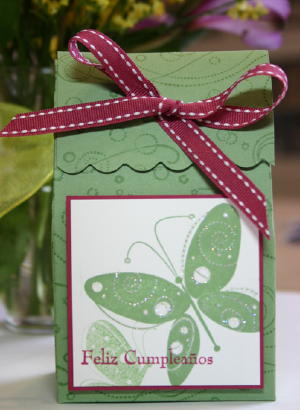
Use a piece of Acetate to create a reflection.


Supplies

image

Stamps

Ink

Cardstock

Piece of Acetate


Step By Step

Step 1

Step 1.
Ink your image and stamp it on cardstock.


Step 2

Step 2.
Ink your image with the same ink and stamp it on your piece of acetate.


Step 3

Step 3.
Flip your piece of acetate over so your stamped image is facing down. Line it up with your first image to create your reflection. Place acetate on cardstock.


Step 4

Step 4.
Rub over your acetate. It will transfer the image from the acetate to your cardstock.


Step 5

Step 5.
Doodle or paint ground underneath your image.


Step 6

Step 6.
Add water or ice looking background around your reflected image.


Step 7

Step 7.
Finish your card.


Variations

Stamp on a stamp
Use a solid shape stamp instead of acetate, and transfer your image by first stamping your image right on to the solid shape stamp, then to your paper.

Try a brayer
Use your clean, dry brayer (instead of acetate), to pick up an image off your stamp and then transfer it to paper.

Mirror images
Use this same technique to create a side-by-side "mirrored" image instead of a reflection effect.

Your Turn

You've seen the tutorial, now you try it! We've got a section of the gallery set aside for Reflection Technique. Try this project, then upload your artwork to the gallery. Show us your creations!

Questions and Comments

Have any questions about this tutorial? Any neat tips you've discovered that you'd care to share with the rest of us? Be sure and hit the comments link in the right-hand sidebar.